

Take you business next level

Take you business next level
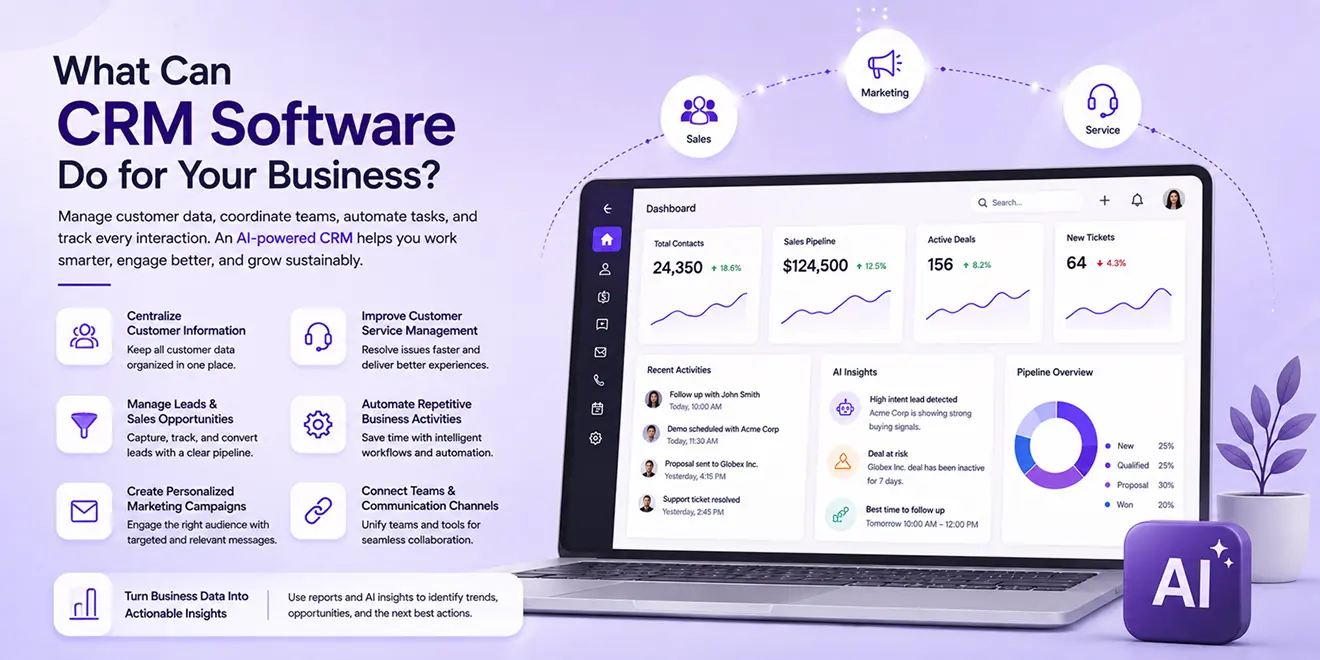
CRM software helps businesses manage customer data, coordinate teams, automate daily activities, and track every interaction from the first enquiry to ongoing service. It provides one connected platform for managing sales, marketing, and service operations.
An AI-powered CRM adds intelligence to these processes by analyzing customer behavior, prioritizing opportunities, generating personalized communication, and recommending the next best actions.
CRM software brings customer data from different channels into one organized system. Instead of searching through spreadsheets, emails, call records, and separate applications, employees can access complete customer information from a single profile.
A CRM can store:
AI can summarize long customer histories and highlight the information that is most relevant to the current conversation. This helps teams understand customers quickly and communicate with better context.
CRM software helps sales teams manage leads from their first interaction until they become customers. New leads can be captured automatically, assigned to the appropriate sales representative, and tracked through different stages of the sales pipeline.
Sales teams can use CRM to:
AI-powered lead scoring analyzes customer activity and engagement to identify leads that may be more likely to convert. Sales representatives can then focus their time on the most promising opportunities.
CRM software gives marketing teams the customer information they need to create relevant campaigns. Contacts can be grouped based on their location, interests, behavior, industry, purchase history, or stage in the customer journey.
A CRM can support marketing teams by helping them:
AI can assist with audience selection, email content, subject lines, and campaign recommendations. It can also analyze engagement to help marketers understand which messages and channels are producing better results.
CRM software allows service teams to manage customer questions and issues in an organized way. Each request can be converted into a ticket, assigned to the appropriate agent, prioritized, and monitored until it is resolved.
Service teams can access previous conversations, purchase details, open tickets, and customer feedback before responding. This reduces repeated questions and allows agents to provide more relevant assistance.
AI-powered service capabilities can help businesses:
These capabilities support faster and more consistent service while allowing agents to focus on complex customer needs.
Many sales, marketing, and service processes contain repetitive steps. CRM automation allows businesses to create workflows that perform these activities automatically when specific conditions are met.
For example, when a new lead submits a form, the CRM can:
Automation can also support appointment reminders, deal-stage updates, campaign follow-ups, ticket assignments, service escalations, and customer feedback requests.
AI makes these workflows more responsive by considering customer behavior, engagement, and previous interactions when recommending or triggering an action.
CRM software gives sales, marketing, and service teams access to shared customer information. When one department updates a customer record, the latest information becomes available to other authorized teams.
For example, sales representatives can see which marketing campaigns a lead engaged with before making contact. Service agents can review purchase information and previous sales conversations before responding to an issue.
CRM can also connect with business tools such as:
These connections help businesses manage customer communication and internal activities without repeatedly switching between disconnected systems.
CRM software converts customer and operational data into reports and dashboards. Business leaders can monitor performance, identify problems, and make decisions using accurate information.
CRM reports can provide insights into:
AI-powered analytics can identify patterns that may be difficult to notice through standard reports. It can highlight valuable opportunities, predict possible sales outcomes, detect changes in customer behavior, and recommend actions.
With an AI-powered CRM, businesses can move beyond reviewing past performance and use their data to determine what they should do next.
Integrate the tools you use every day and keep your sales data connected in one platform.






Discover how GoFox helps your sales team manage leads, automate follow-ups, and close deals with confidence, all from one intelligent CRM.
Get Started FreeReal feedback from teams who switched to a simpler way of managing customers and projects.
"This CRM completely transformed how our sales team manages customers. Within three months, we increased productivity by 35% and improved team communication significantly."
"Our team finally stopped juggling countless spreadsheets and switched to a cleaner, more efficient workflow solution."
"We moved away from messy manual processes and embraced a smoother workflow that keeps our whole team aligned."
"In just one day, our whole team was seamlessly collaborating and managing projects through a single dashboard."
CRM CRD is a modern CRM platform designed to simplify customer management. It streamlines daily tasks, organizes interactions, automates follow-ups, and helps teams collaborate more efficiently.
"Within just 60 seconds, our complete CRM system was set up and ready for immediate use."
"Our customer response time has improved by 40%, helping us provide faster and more efficient support."