

Take you business next level

Take you business next level
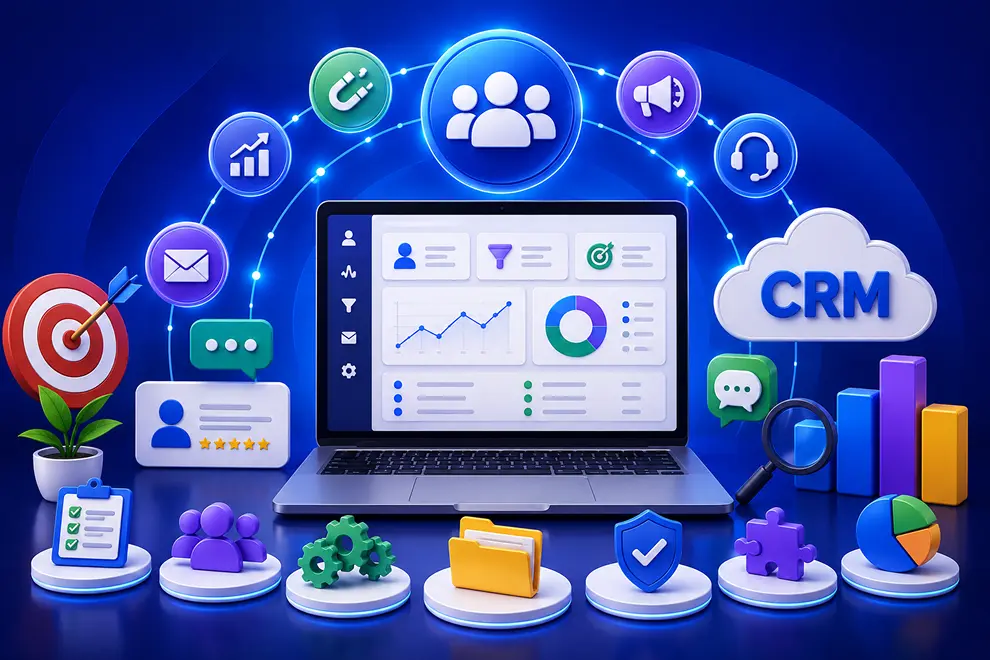
The right CRM should help businesses manage the complete customer journey—from generating leads and closing deals to running campaigns and providing ongoing service. It should connect sales, marketing, and service teams while keeping customer information in one centralized platform.
An AI-powered CRM should also automate routine work, analyze customer behavior, and recommend useful actions across every department.
A CRM should create a complete customer profile containing contact information, company details, conversations, activities, purchases, campaign engagement, deals, and service requests.
This shared customer view allows sales, marketing, and service teams to work with the same information. AI can summarize customer histories and highlight important details, helping employees quickly understand each relationship.
Sales teams need tools to capture leads, assign them to representatives, schedule follow-ups, and track deals through different pipeline stages.
Important sales capabilities include:
AI can identify buying signals, prioritize valuable leads, and alert representatives when deals require attention.
A CRM should help sales representatives manage the activities and documents required to move opportunities forward. Teams should be able to prepare quotations, share proposals, organize product information, manage documents, and track customer approvals from one place.
Features such as email sequences, appointment scheduling, e-signatures, product catalogues, and automated follow-ups allow representatives to spend more time selling and less time managing administrative tasks.
Marketing teams should be able to plan, create, run, and monitor campaigns directly within the CRM. Customer data can then be used to deliver relevant communication across different channels.
Look for marketing features such as:
AI can help generate campaign content, personalize messages, recommend subject lines, and identify the communication most likely to engage each audience.
A CRM should help marketing teams attract website visitors and convert them into leads. Information captured through forms, landing pages, chat, and other website interactions should be added automatically to the appropriate customer profile.
Essential lead-generation features include:
AI can analyze visitor behavior, identify engagement patterns, and help marketers provide more relevant messages at the right moment.
Marketing automation allows businesses to nurture leads and communicate with customers based on their interests, behavior, and journey stage. Instead of manually sending every message, teams can create workflows that respond automatically to customer actions.
For example, when a visitor downloads a resource, the CRM can add the person to a relevant segment, send a personalized email, start a nurturing sequence, and notify sales when the lead becomes highly engaged. AI makes this process more effective by recommending audiences, content, timing, and next actions.
A complete CRM should support customers after they make a purchase. Helpdesk features allow service teams to receive, organize, assign, prioritize, and resolve customer requests.
Important service features include:
AI can categorize incoming tickets, detect urgency, summarize issues, and route requests to the appropriate agent or department.
Customers should be able to receive assistance through the channel that is most convenient for them. Live chat helps agents communicate with website visitors in real time, while AI chatbots provide immediate answers to common questions.
A CRM should also include a knowledge base, help center, and customer self-service portal. These tools allow customers to find answers, track requests, and resolve simple issues without waiting for an agent. Customer feedback and satisfaction surveys can help service teams understand and improve the experience.
AI and automation should support sales, marketing, and service processes rather than operating as separate features.
An AI-powered CRM can:
Shared tasks, calendars, conversations, and customer records also help departments collaborate without losing context.
CRM reports should provide clear visibility into sales results, marketing performance, and service quality. Businesses should be able to monitor pipelines, campaign conversions, customer engagement, ticket resolution times, satisfaction scores, and team productivity.
The CRM should also connect with email, telephony, WhatsApp, social media, accounting, payment, e-commerce, video meeting, and e-signature platforms. As the business grows, it should support additional users, customer records, communication channels, workflows, and reporting requirements.
Integrate the tools you use every day and keep your sales data connected in one platform.






Discover how GoFox helps your sales team manage leads, automate follow-ups, and close deals with confidence, all from one intelligent CRM.
Get Started FreeReal feedback from teams who switched to a simpler way of managing customers and projects.
"This CRM completely transformed how our sales team manages customers. Within three months, we increased productivity by 35% and improved team communication significantly."
"Our team finally stopped juggling countless spreadsheets and switched to a cleaner, more efficient workflow solution."
"We moved away from messy manual processes and embraced a smoother workflow that keeps our whole team aligned."
"In just one day, our whole team was seamlessly collaborating and managing projects through a single dashboard."
CRM CRD is a modern CRM platform designed to simplify customer management. It streamlines daily tasks, organizes interactions, automates follow-ups, and helps teams collaborate more efficiently.
"Within just 60 seconds, our complete CRM system was set up and ready for immediate use."
"Our customer response time has improved by 40%, helping us provide faster and more efficient support."