

Take you business next level

Take you business next level
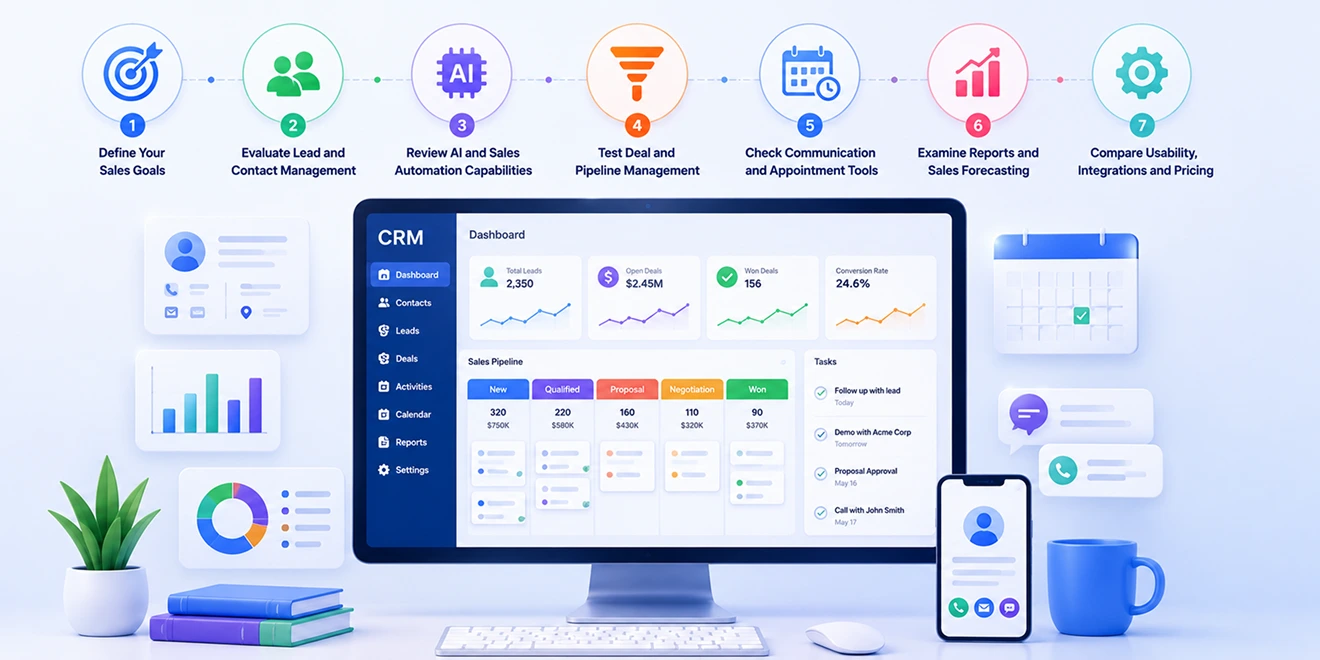
Choosing sales CRM software requires a clear understanding of your sales process, team requirements, customer journey, and growth plans. The right platform should help your team manage leads, organize customer data, track deals, automate follow-ups, and improve sales performance.
When evaluating an AI-powered sales CRM, ensure its features solve practical sales challenges and are easy for your team to use.
Begin by identifying what your business wants to improve. Clear goals make it easier to choose relevant CRM features and avoid paying for tools your team may not need.
Your goals may include:
Involve sales representatives, managers, marketing, service, and IT teams when defining your CRM requirements.
The CRM should make it easy to capture, organize, assign, qualify, and track leads. Sales representatives should be able to access complete information through contact management software without searching through spreadsheets or separate applications.
Look for capabilities such as:
Test how quickly representatives can find customer information and update records during daily sales activities.
AI sales automation should reduce administrative work and help sales teams make better decisions. Ask the software provider to demonstrate these capabilities using realistic sales scenarios.
Useful capabilities may include:
Confirm whether representatives can review AI-generated content and recommendations before using them.
The CRM should provide clear and customizable pipeline Kanban software. Representatives must be able to move deals between stages, record important activities, and understand which opportunities require attention.
Check whether the CRM allows teams to manage:
Visual pipeline views can help teams monitor progress and identify sales bottlenecks.
Sales representatives should be able to communicate with prospects and use appointment scheduling software to organize meetings without constantly switching between applications.
Look for:
Every interaction should be recorded in the relevant customer profile to maintain a complete communication history.
Sales CRM software should turn sales data into clear reports, dashboards, and forecasts. Managers must be able to understand pipeline health, team productivity, conversion performance, and expected revenue.
Important reports include:
Ensure reports can be filtered and customized according to teams, representatives, pipelines, products, and time periods.
Compare the complete cost, including users, contacts, storage, communication services, AI usage, integrations, onboarding, data migration, and customer support. Review the available CRM pricing plans and choose a secure, scalable platform that supports your business growth.
Also review integrations with:
Choose a secure and scalable platform that can support more users, customers, pipelines, and sales activities as your business grows.
Integrate the tools you use every day and keep your sales data connected in one platform.






Discover how GoFox helps your sales team manage leads, automate follow-ups, and close deals with confidence, all from one intelligent CRM.
Get Started FreeReal feedback from teams who switched to a simpler way of managing customers and projects.
"This CRM completely transformed how our sales team manages customers. Within three months, we increased productivity by 35% and improved team communication significantly."
"Our team finally stopped juggling countless spreadsheets and switched to a cleaner, more efficient workflow solution."
"We moved away from messy manual processes and embraced a smoother workflow that keeps our whole team aligned."
"In just one day, our whole team was seamlessly collaborating and managing projects through a single dashboard."
CRM CRD is a modern CRM platform designed to simplify customer management. It streamlines daily tasks, organizes interactions, automates follow-ups, and helps teams collaborate more efficiently.
"Within just 60 seconds, our complete CRM system was set up and ready for immediate use."
"Our customer response time has improved by 40%, helping us provide faster and more efficient support."