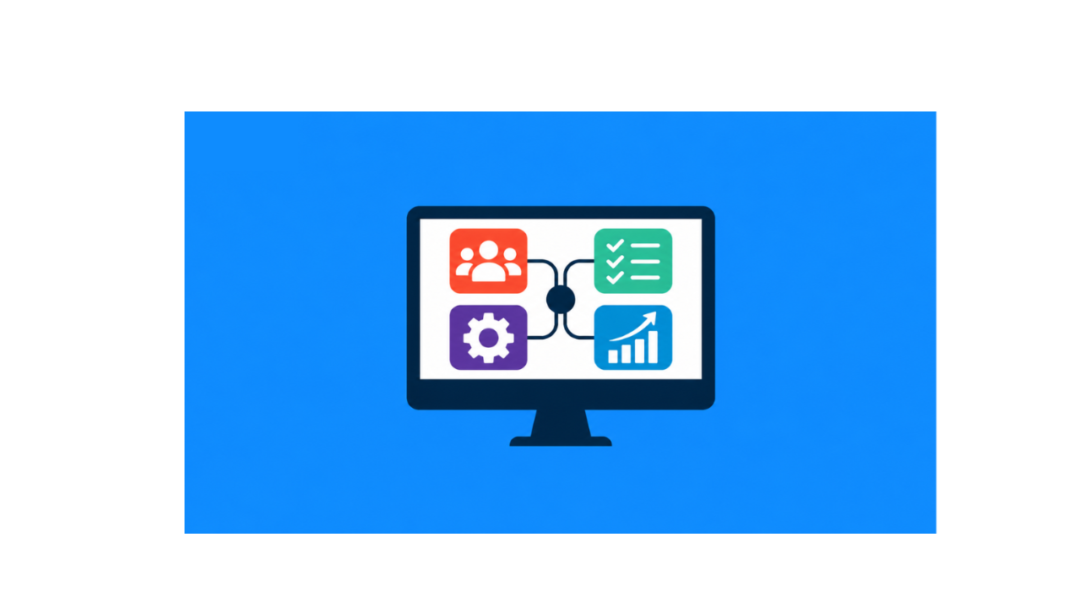
What Is a 360 Degree Contact View and Why It Matters 

A customer calls your support line, already annoyed. They explain their issue, only to be told, “let me transfer you,” and then explain it all over again. Somewhere between sales, support, and marketing, the story of that customer got lost. This happens every day in businesses without one clear place to see the full picture.

A 360 Degree Contact View is a complete, unified picture of every customer, pulled together from all the places your business interacts with them. It combines emails, calls, purchases, support tickets, and website activity into one single customer view. Your team sees everything in one place, without digging through five different tools.

GoFox’s 360° Contact View, part of the Sales Essentials suite, builds this picture automatically. It replaces scattered spreadsheets and disconnected apps with one unified customer profile that updates in real time.

Why Do Businesses Need Centralized Customer Information?

Businesses need centralized customer information because scattered data leads to missed opportunities and frustrated customers. Customer details living in different systems cost your team time. They end up searching for answers instead of selling or solving problems.

A typical day without centralized data looks like this:

  • Sales checks a CRM for contact details
  • Support checks a helpdesk tool for past tickets
  • Marketing checks a separate platform for email history
  • Nobody has the full picture

Customer data management built around a single customer view puts all of that information in one dashboard. Every team member sees the same facts, at the same time, without switching tabs or asking coworkers for context.

What Does a Complete Customer History Actually Include?

A complete customer history includes every touchpoint a customer has had with your business, organized in one timeline. This typically covers:

  • Contact details and company information
  • Past purchases and deal history
  • Email and call logs
  • Support tickets and resolutions
  • Website visits and form submissions
  • Notes and internal comments from your team

A history in one place lets new team members catch up on a customer relationship in minutes, not days. Nobody needs to ask “has anyone talked to this customer before?” The answer sits right on the screen.

How Does Customer Interaction Tracking Improve Customer Relationships?

Customer interaction tracking improves relationships by showing your team exactly where a customer stands, so every conversation feels informed rather than repetitive. Nobody enjoys explaining the same problem twice to two different support agents.

Proper interaction tracking lets your team:

  • See the last time a customer reached out and why
  • Avoid asking questions the customer already answered
  • Follow up at the right moment, not on a guess
  • Spot patterns, like a customer who contacts support often after a specific type of purchase

Tracking turns customer relationship management from a reactive task into a proactive one. Your team anticipates problems rather than just responding to them.

What Makes CRM Contact Management Different With a Unified Profile?

What Makes CRM Contact Management Different With a Unified Profile?

CRM contact management becomes far more useful when every contact record is unified, rather than split across sales, support, and marketing tools. Traditional contact management often means a name, phone number, and maybe a few notes. A unified customer profile goes much further.

A unified profile connects:

  • Every deal a contact has been part of
  • Every conversation across email, chat, and phone
  • Every support case, open or closed
  • Every marketing email they’ve opened or clicked

A simple contact card becomes a living record of the relationship. Sales reps see if a lead recently filed a support ticket before reaching out with an offer. Support agents see if a customer just signed a new deal before troubleshooting an issue. The context stays visible, every time.

How Does AI-Powered CRM Technology Strengthen the 360-Degree View?

AI-powered CRM technology strengthens the 360-degree view by turning raw customer data into clear, actionable customer insights. Data alone doesn’t help anyone; what you do with it matters.

AI built into the platform lets GoFox:

  • Flag which contacts are most likely to convert
  • Suggest the best time to follow up based on past behavior
  • Summarize long interaction histories into a few key points
  • Highlight customers who may need attention before they churn

These customer insights save time and cut out guesswork. Your team gets the highlights automatically, right where they need them, rather than manually reviewing a customer’s entire history.

How Does a Single Customer View Lead to a More Personalized Customer Experience?

A single customer view leads to a more personalized customer experience because every interaction is informed by everything that came before it. Customers can tell when a business remembers them. They can also tell when it doesn’t.

Full context lets your team:

  • Reference past conversations naturally, without sounding scripted
  • Recommend products or services based on real purchase history
  • Avoid sending irrelevant offers to customers who already bought that item
  • Resolve support issues faster because the history is already visible

Trust builds over repeated interactions like these. Customers feel like they’re talking to one company, not a maze of disconnected departments.

Who Benefits Most From a 360-Degree Contact View?

Who Benefits Most From a 360-Degree Contact View?

Every team that touches the customer relationship benefits, not just sales. A unified customer profile is easy to assume is only useful for closing deals, but the impact spreads much further across a business.

  • Sales teams get full context before every call, so pitches feel relevant, not generic
  • Support teams resolve issues faster because they’re not starting from zero
  • Marketing teams send offers based on real behavior, not guesswork
  • Leadership gets a clearer picture of customer health across the entire business

Small and mid-sized businesses feel this just as much as large ones. Growing businesses often feel the pain of scattered customer data the most, since new hires and new tools keep getting added without a system to tie everything together. A 360-degree contact view solves that problem early, before disconnected data becomes a habit that’s hard to break.

Does a Unified Customer Profile Require Extra Work to Maintain?

No. With the right CRM, a unified customer profile updates itself automatically as interactions happen. This stands as one of the biggest advantages over manual customer data management.

GoFox’s 360° Contact View pulls information in from connected channels as it happens, without asking your team to log every call, email, or ticket by hand. Your team gets:

  • No duplicate data entry across tools
  • No outdated records because someone forgot to update a spreadsheet
  • No gaps in customer history when a team member is out sick or leaves the company

A customer data management system built this way stays accurate without adding busywork to anyone’s day.

What Is a 360-Degree Customer View and Why It Matters

Bringing It All Together

A 360 Degree Contact View isn’t just a nice-to-have feature. It’s the foundation for better customer relationship management, faster support, smarter sales conversations, and a more personalized customer experience at every stage. GoFox’s AI-powered CRM centralizes customer information, giving your team more time to build real relationships and less time searching for context.

Ready to see every customer interaction in one place? Try GoFox’s 360 Degree Contact View today.

How AI-Powered Sales CRM Helps Businesses Close More Deals

Modern sales teams juggle dozens of leads, follow-ups, and deals at once. Missing even one at the wrong moment can mean a lost sale. An AI-powered Sales CRM solves this by organizing leads, automating follow-ups, and telling reps exactly where to focus next, so deals close faster and nothing slips through the cracks.

This guide explains what an AI-powered sales CRM is, how it works, and how it helps businesses sell smarter at every stage of the pipeline.

What Is an AI-Powered Sales CRM?

An AI-powered sales CRM is a customer relationship management system that uses artificial intelligence to automate sales tasks, score leads, and recommend next actions, instead of just storing contact data.

A traditional CRM is a digital filing cabinet: it holds contact details, deal stages, and notes, but a human still has to decide what to do with that information. An AI-powered CRM goes further. It analyzes the data automatically and tells reps who to contact, when to follow up, and which deals are most likely to close.

In short: traditional CRM = storage. AI-powered CRM = storage + strategy.

Why Do Sales Teams Need an AI-Powered CRM?

Sales teams need an AI-powered CRM because manual sales processes create gaps that cost revenue. The most common problems include:

  • Scattered customer information across emails, spreadsheets, and sticky notes
  • Missed follow-ups when reps forget or run out of time
  • Manual, repetitive work like data entry and status updates
  • Difficulty spotting high-value leads among a long list of prospects

An AI-powered CRM removes these gaps by centralizing data and handling repetitive decision-making automatically.

How Does AI Improve the Sales Process?

AI improves the sales process by handling the tasks that slow reps down, so they can focus on selling. Specifically, it:

  1. Captures and organizes leads automatically from forms, emails, and website visits
  2. Scores leads based on how likely they are to convert
  3. Recommends the next best action, such as a call, email, or demo
  4. Automates follow-ups so no lead is forgotten
  5. Delivers accurate sales insights for smarter, faster decisions

The outcome is simple: less admin work, more selling time, and fewer missed opportunities.

What Are the Key Features of an AI-Powered Sales CRM?

What Are the Key Features of an AI-Powered Sales CRM?

A complete AI-powered sales CRM includes the following core features:

  • Lead management – Centralized Lead Management captures, organizes, and stores every lead the moment it comes in, ensuring no contact is lost, duplicated, or left unassigned.
  • AI lead scoring – Automatically ranks leads by their likelihood to buy, helping reps prioritize the right prospects first.
  • Sales pipeline management – Visually tracks every deal’s stage, from first contact to closed sale, so nothing gets stuck unnoticed.
  • Contact management – Strong Contact Management keeps a complete history of every customer interaction, note, and detail in one accessible profile, so reps always have full context before reaching out.
  • Workflow automation – Automates repetitive tasks like data entry, status updates, and task assignments.
  • Email tracking – Shows when prospects open, click, or reply to emails, so reps know the best time to follow up.
  • Appointment scheduling – Built-in Appointment Scheduling lets prospects book meetings directly on a rep’s calendar, removing back-and-forth emails and speeding up the path to a sales conversation.
  • Sales dashboards – Gives a real-time visual snapshot of deals, activities, and team performance.
  • Sales forecasting – Uses historical and current data to predict future revenue with greater accuracy.
  • Reports and analytics – Turns raw sales data into clear insights on performance, trends, and bottlenecks.

Together, these features cover the entire sales workflow — from the first lead to the final close.

What Are the Benefits of Using AI in Sales?

What Are the Benefits of Using AI in Sales?


Businesses that use an AI-powered CRM typically see measurable improvements, including:

  • Increased sales productivity — less time on admin, more time selling
  • Faster lead response, which improves conversion odds
  • Better lead prioritization, so reps chase the right prospects
  • Shorter sales cycles, thanks to automated reminders and nudges
  • Improved customer relationships through timely, personalized outreach
  • Higher conversion rates across the board

These gains compound over time, especially for growing teams managing a rising volume of leads.

How Does AI-Powered CRM Support Every Sales Stage?

How Does AI-Powered CRM Support Every Sales Stage?


AI adds value at every stage of the sales journey, not just at the beginning:

  • Lead capture – Automatically collects and logs new leads from every channel
  • Lead qualification – Scores and ranks leads by buying potential
  • Follow-up and nurturing – Sends timely reminders and personalized messages
  • Proposal and negotiation – Tracks deal progress and flags stalled opportunities
  • Deal closure – Highlights leads that are ready to buy right now
  • Customer retention – Monitors post-sale relationships to reduce churn

This makes the CRM a tool for the entire customer lifecycle, not just the sales pipeline.

What Are Some Practical AI-Powered CRM Use Cases?

Here’s how AI-powered CRMs are used in everyday sales work:

  • Automatically assigning new leads to the right sales rep based on territory or expertise
  • Sending personalized follow-ups triggered by customer behavior
  • Identifying inactive opportunities so reps can re-engage before deals go cold
  • Predicting deal outcomes to help reps focus effort where it matters most
  • Generating sales reports instantly, without manual data pulling

How Do You Choose the Right AI-Powered Sales CRM?

How Do You Choose the Right AI-Powered Sales CRM?


Choosing the right AI-powered sales CRM comes down to evaluating seven key factors:

  1. Ease of use – Your team should adopt it quickly without heavy training
  2. Essential sales features – Lead and pipeline management should be built in
  3. Automation capabilities – Look for tools that genuinely save time
  4. Integration options – It should connect with tools you already use
  5. Customization – The system should adapt to your sales process, not the other way around
  6. Scalability – It should grow with your team and lead volume
  7. Pricing and support – Costs and service should match your business needs

How Does GoFox Help Sales Teams Close More Deals?

How Does GoFox Help Sales Teams Close More Deals?

GoFox is an AI-powered all-in-one CRM that helps sales teams close more deals by centralizing customer data, automating repetitive tasks, and surfacing AI-driven insights in real time. Specifically, GoFox offers:

  • Centralized lead and contact information — no more scattered spreadsheets
  • Automated sales activities, including follow-ups and reminders
  • Clear pipeline visibility, so every deal’s status is always visible
  • AI-powered insights that highlight your best opportunities
  • Real-time sales reports to track performance as it happens

With GoFox, sales teams spend less time managing tools and more time closing deals.

What Are the Best Practices for Implementing a Sales CRM?

To get the most value from a sales CRM, follow these steps:

  1. Define clear sales goals before setup begins
  2. Clean and import customer data so the CRM starts accurate
  3. Customize the sales pipeline to match your actual sales process
  4. Automate repetitive tasks early to save time from day one
  5. Train your sales team so everyone uses the system consistently
  6. Monitor performance regularly and adjust as needed
How AI-Powered Sales CRM Helps Businesses Close More Deals

Conclusion

An AI-powered sales CRM does more than store contacts, it actively helps sales teams sell smarter. From lead scoring to sales forecasting, AI removes the guesswork and replaces it with clear, data-backed direction at every stage of the pipeline.

If you’re ready to simplify your sales process and close more deals, GoFox is built to help you do exactly that, with centralized data, automated workflows, and AI-powered insights all in one place.