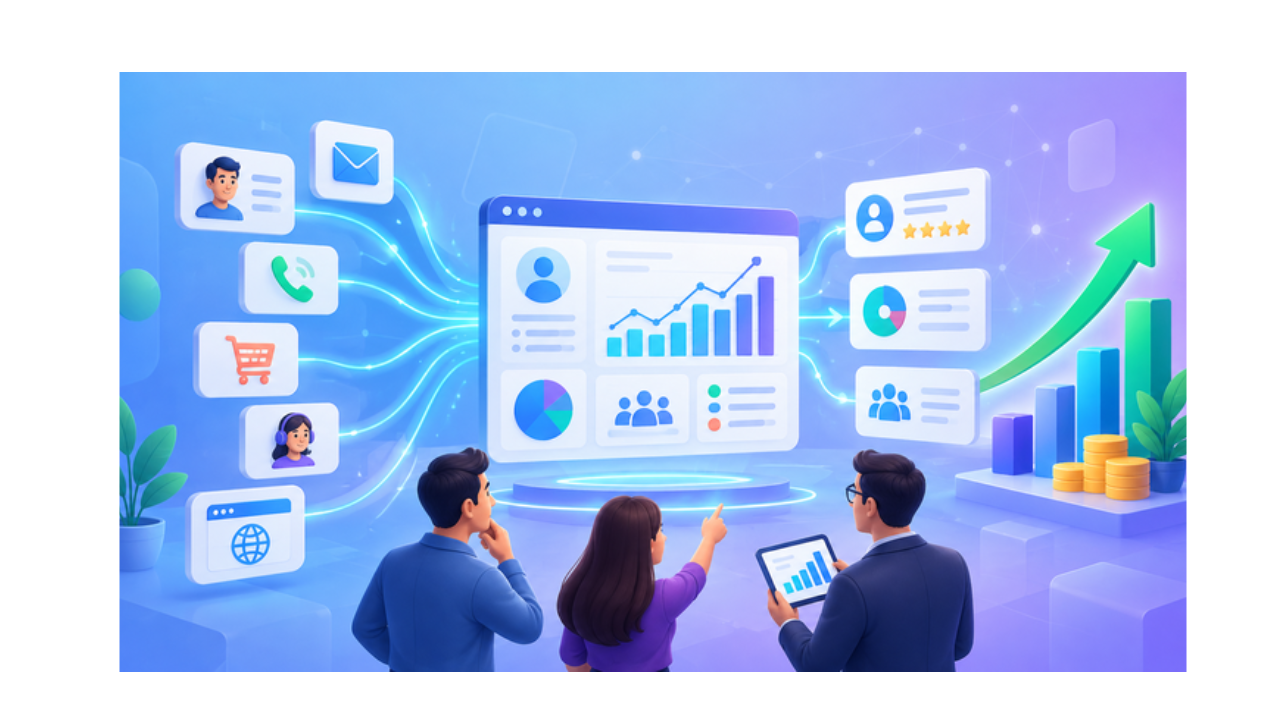
A sales team closes a deal and nobody knows why it worked. A marketing campaign gets clicks but no sales. A support ticket sits unresolved because nobody tracked it. This happens when customer and sales data sits scattered across spreadsheets, inboxes, and disconnected tools.
CRM analytics turns this raw, scattered data into clear, usable insights. It pulls information from every customer touchpoint and organizes it into patterns a business can act on. Sales reps see which leads to prioritize. Marketing teams see which campaigns bring real revenue. Managers see the full picture instead of guessing.
Customer data analytics only works when it’s connected to a single system. This is where CRM analytics becomes the foundation for smarter, faster business decisions.
What Is CRM Analytics?
CRM analytics is the process of collecting and analyzing customer data stored inside a CRM platform to uncover patterns in sales, marketing, and service activity.
It covers every stage of the customer journey:
- First contact and lead source
- Sales conversations and deal progress
- Marketing engagement across email and social
- Support tickets and resolution times
- Repeat purchases and account history
CRM analytics software brings all this together in one place. Instead of checking five different tools, a business owner opens one dashboard and sees exactly how customers move through their pipeline.
How Does CRM Analytics Work?
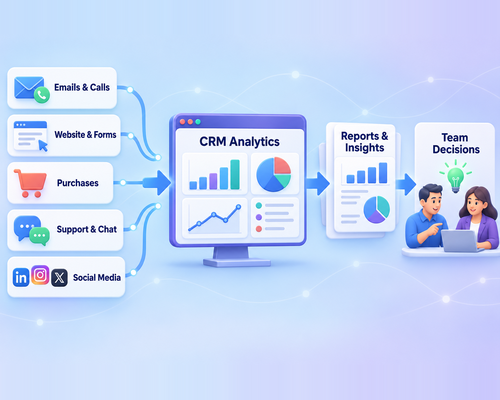
CRM analytics works by pulling data from every customer interaction and converting it into reports teams can use immediately.
A modern CRM collects information from:
- Emails and call logs
- Website visits and form submissions
- Purchase and billing history
- Support tickets and chat conversations
- Social media interactions
CRM reporting tools turn customer data into clear charts, trends, and summaries. Teams can track deal progress, response times, and other key metrics in one place.
This replaces disconnected spreadsheets and helps teams focus on making better decisions.
Different Types of CRM Analytics
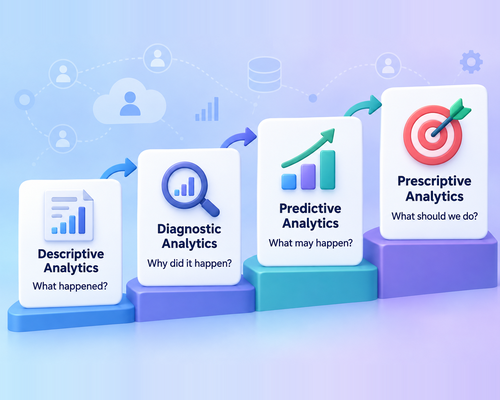
Not all analytics answer the same question. Businesses typically rely on four types, each building on the last:
- Descriptive analytics: summarizes what already happened, like total sales last quarter
- Diagnostic analytics: explains why something happened, like why a campaign underperformed
- Predictive analytics: forecasts what’s likely to happen next, based on past patterns
- Prescriptive analytics: recommends specific actions to improve future outcomes
Predictive CRM analytics stands out because it helps teams act before a problem shows up. A sales team might see a deal is likely to stall and step in early.
A support team might spot a customer at risk of leaving and reach out first. This is where customer behavior insights turn data into a competitive advantage instead of just a record of the past.
Essential Features of CRM Analytics Software
Strong CRM analytics software gives teams the tools to see, understand, and act on customer data without needing a data science background.
Key features to look for:
- CRM dashboards that display live sales, marketing, and service metrics in one view
- Customizable reports built around the metrics each team actually cares about
- Data visualization tools like charts and graphs that make trends easy to spot
- Sales forecasting that predicts future revenue based on pipeline activity
- Customer segmentation that groups contacts by behavior, industry, or purchase history
- Real-time tracking that updates the moment new data comes in
- AI-powered insights that flag patterns a person might miss
A platform with these features turns CRM analytics software from a reporting tool into a decision-making tool.
Key CRM Metrics Businesses Should Track
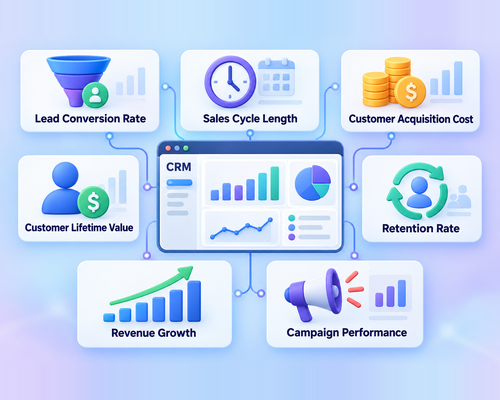
Tracking the right sales performance metrics helps businesses understand results and identify areas for improvement:
- Lead Conversion Rate: Measures the percentage of leads that become customers and shows how effectively the sales process works.
- Sales Cycle Length: Tracks how long it takes to move a prospect from initial contact to a closed deal.
- Customer Acquisition Cost (CAC): Calculates the total sales and marketing cost required to acquire one customer.
- Customer Lifetime Value (CLV): Estimates the total revenue a customer may generate during their relationship with the business.
- Retention Rate: Shows the percentage of customers who continue using the company’s products or services.
- Revenue Growth: Measures changes in sales revenue over a specific period.
- Campaign Performance: Tracks the leads, conversions, and revenue generated by each marketing campaign.
These CRM metrics provide a clear view of sales performance, customer value, and overall pipeline health.
Benefits of CRM Analytics
CRM analytics changes how a business operates day to day. The impact shows up across every team.
- Better understanding of what customers want and need
- Clearer lead prioritization so reps focus on the deals most likely to close
- More accurate sales forecasting for planning and budgeting
- Sharper visibility into which campaigns actually drive revenue
- Higher team productivity through less manual data digging
- Faster, more confident business decisions backed by real numbers
Data-driven decision-making replaces guesswork with evidence. A business stops reacting to problems after they happen and starts spotting them early.
How CRM Analytics Supports Business Teams
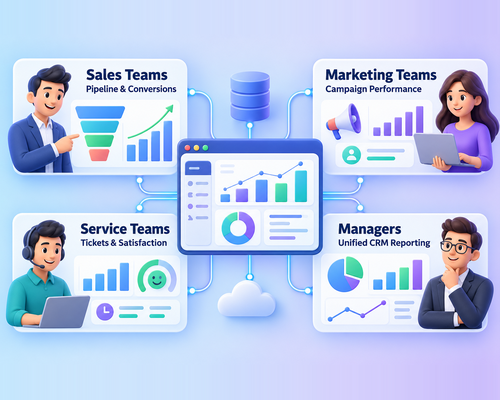
Every department pulls something different from the same data.
- Sales teams track pipeline stages, deal velocity, and conversion rates to close more deals faster
- Marketing teams use marketing analytics to measure which campaigns bring qualified leads and which ones fall flat
- Service teams monitor ticket volume, response times, and satisfaction scores to catch issues before they escalate
- Managers review CRM reporting across all three teams to see the full health of the business in one view
This shared visibility keeps every department working from the same facts instead of separate assumptions.
Best Practices for Using CRM Analytics
Good analytics depend on good habits. A few practices make the biggest difference:
- Keep data accurate by removing duplicates and updating records regularly
- Pick relevant metrics instead of tracking everything available
- Build clear dashboards that highlight what matters most to each team
- Review reports on a set schedule, not just when something goes wrong
- Train teams to read and act on the data, not just collect it
- Protect customer information with proper access controls and data security
Customer data analytics only delivers value when the people using it trust the numbers and know what to do with them. CRM dashboards work best when they’re simple enough that anyone on the team can read them at a glance.
Conclusion: Make Better Decisions With GoFox
CRM analytics turns customer data into clear insights that improve sales, marketing, and service decisions. It helps teams track performance, understand customer behavior, and identify new opportunities.
GoFox brings data, dashboards, and reports together in one platform. Explore GoFox to make faster, data-driven decisions and support business growth.
Turn Your Data Into Decisions. Explore GoFox to track the metrics that matter and make every customer interaction count.
