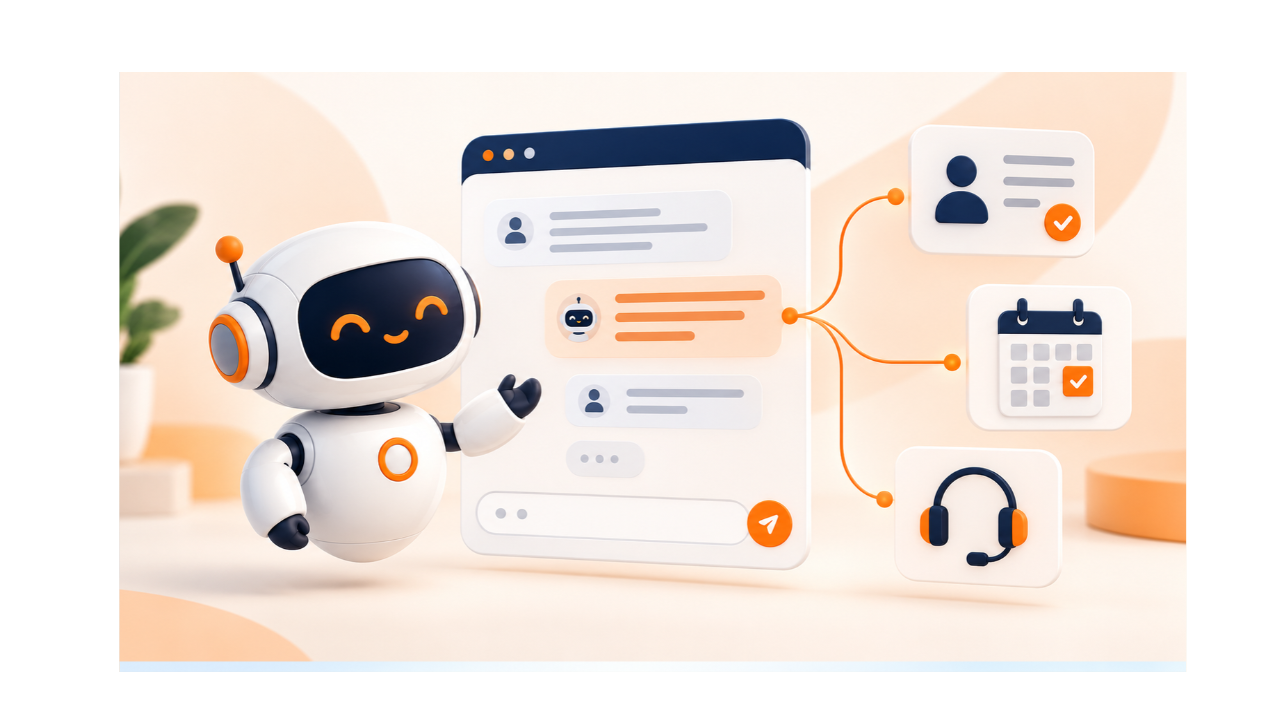
It is 9 p.m. A visitor lands on your website and types, “Does your software support a team of 15, and can I book a demo?” Your team has logged off. Without AI chat to respond, nobody replies. She closes the tab.
This happens every day. The challenge is not just answering. It is answering accurately, capturing interest, and making sure someone follows up. This guide shows how to turn one chat into a useful outcome.
What Is an AI Chatbot, and What Can It Do for a Business?
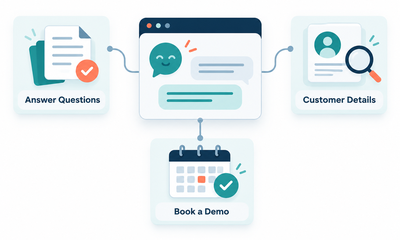
An AI chatbot is software that understands everyday language and replies using your business information.
A general AI assistant knows a little about everything. A business chatbot connects to your own content and answers questions about your products and policies. It can do three jobs:
- Answer questions from approved content
- Retrieve customer details
- Perform approved actions, like booking a demo
Three terms often get mixed up:
- Rule-based chatbots follow fixed scripts and menus.
- AI chatbots understand free-form wording.
- AI agents plan steps and act across several tools.
How Does an AI Chatbot Turn a Customer Question Into a Useful Response?
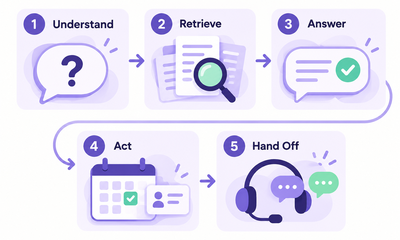
It works in five steps: understand, retrieve, answer, act, and hand off. We will follow one question through each step: “Does your software support a team of 15, and can I book a demo?”
Understand the request and ask for missing details
The bot spots two needs: plan fit for 15 people and a demo booking. It asks for anything missing, like the product she cares about.
Retrieve relevant information from approved business sources
It searches your plan pages, product pages, and help articles. It ignores content nobody approved.
Generate an answer based on that information
It replies that the plan covers teams of 15 and lists what is included.
Use connected tools for actions
It checks calendar slots and books the demo. Linked workflow automation creates the contact record straight away.
Hand conversations to a person as needed
She asks for custom terms. The bot passes the chat, with the full transcript, to a teammate.
Which Customer Conversations Should You Automate First?
Start with repeated questions that have clear, documented answers. Score each use case on four points:
- How often customers ask it
- The business value of a good reply
- The cost of a wrong reply
Product questions and demo requests suit most teams. Onboarding help requires existing guides. Order-status enquiries need live data and additional setup.
Some problems need no bot. A clear help center or a shorter contact form can solve many repeat questions. A customer self-service portal lets people find answers alone, any hour of the day.
How Can an AI Chatbot Turn Website Interest Into Qualified Leads?
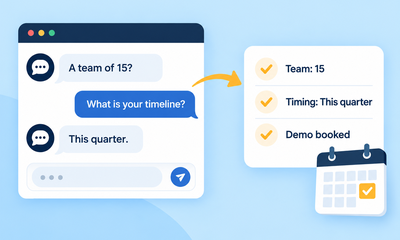
It answers the visitor’s question, asks short qualifying questions, and routes good enquiries to sales.
Asking for an email address up front feels like a toll gate. Answering the question earns trust. Short questions keep the chat from feeling like a long form. Capture three details: requirements, purchase timing, preferred contact method.
Here is how it looks:
Visitor: Does your software support a team of 15?
Bot: Yes, our plans cover teams that size. Which tools do you use today?
Visitor: Spreadsheets and email.
Bot: What is your planned timeline for switching?
Visitor: This quarter.
Bot: I can book a demo with our sales team. Does Thursday at 11 a.m. work?
One question became a qualified enquiry with a booking.
What Should Happen in Your CRM After the Chat Ends?
The chat should create or update one contact record, with a summary and a follow-up task.
- Save the conversation summary, requirements, and source.
- Assign a responsible team member.
- Create a follow-up task with a due date.
Duplicate prevention matters. Match new chats to existing records by email or phone number. One person never gets two profiles. Field mapping keeps data tidy: team size lands in the team-size field, and timing lands in the timing field.
An email address alone completes nothing. Without an owner and a task, the lead sits in a shared inbox that nobody opens.
What Information Does an AI Chatbot Need to Answer Accurately?
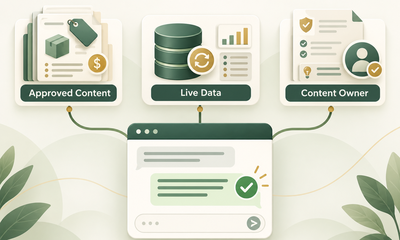
It needs approved, current, and consistent content.
Product details, pricing, policies, and help articles
These form the base. Gaps here become wrong answers.
Live business data for changing information
Stock, order status, and calendar slots change daily. Connect them directly.
Clear ownership for updating conflicting or outdated content
Name one person per topic. Two pages that disagree produce two different answers.
Uploading documents is not the same as training a model. An upload gives the bot material to read. It does not change how the model thinks, and it does not learn from each chat on its own.
Content-readiness checklist:
- Answers are written in plain language
- Old pages are removed or marked
- Every topic has an owner
- Pricing and policy pages match
How Should an AI Chatbot Handle Requests It Cannot Resolve?
It should acknowledge its limits, ask for clarification, offer human support.
- Admit missing information. Never invent an answer.
- Clarify vague requests.
- Offer human help for complex issues or at the customer’s request.
- Pass the transcript and details along. The customer never repeats herself.
A handoff should create a support ticket. Helpdesk ticketing software can label tickets, route cases to the right helpdesk groups. Clear support workflows define ownership, response targets. SLA management tracks response times.
The bot should display expected reply times outside business hours, collect relevant details, create a ticket for the support team.
How Do You Test an AI Chatbot for Customer Use?
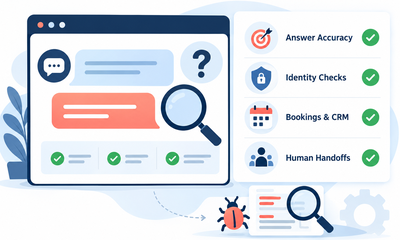
Test it with real customer questions. Cover unclear or incomplete requests.
- Build a test set from past chats and emails.
- Add vague wording, spelling mistakes, follow-ups, outdated information, and unsupported requests.
- Check that customer-specific details need identity verification.
- Test bookings, CRM updates, human handoffs.
Set launch criteria: a target share of correct answers and zero failed handoffs. Assign one person to review every failure.
What Does an AI Chatbot Really Cost to Operate?
Cost has two parts: the platform fee and the work around it.
Vendors bill by subscription, conversation, usage, or resolution. Add setup, integrations, content upkeep, and human review. Estimate with your expected monthly volume.
Hypothetical example, not a promise of savings: Say the platform costs $100 a month. Setup takes 5 hours at $30, a one-time $150. Upkeep takes 2 hours a month at $30, or $60. Suppose the bot resolves 1,000 chats a month. Monthly running cost is $160 for 1,000 resolutions, or $0.16 each. Your numbers will differ.
How Do You Measure Your AI Chatbot’s Performance?
Track meaningful outcomes.
- Successful resolutions and repeat contacts
- Qualified enquiries, completed bookings, and sales follow-up
- Customer satisfaction scores and failed handoffs
- Cost per successful outcome
Fewer chats reaching staff does not prove problems were solved. Customers may have given up. Service reports that combine these numbers show the real picture.
How to Launch Your First AI Chatbot With a Manageable Scope
Pick one audience, one channel, and one business problem.
- Choose a channel your customers already use: free live chat on your website or a Whatsapp bot.
- Prepare the knowledge and integrations that the problem needs.
- Set limits on what the bot may do, and write handoff rules.
- Run an internal test. Follow it with a small customer pilot.
- Review results and expand in small steps.
Good customer support grows the same way: one solved problem at a time.
Conclusion
An AI chatbot can help your business answer questions, capture leads, and improve customer support. Start with clear goals, accurate information, and reliable human handoffs to create better customer experiences.
Ready to take the next step toward more organized customer management? Sign up for GoFox and start building stronger relationships today.
